Accessing Communication Tools in Brightspace
Selecting the Best Communication Tool
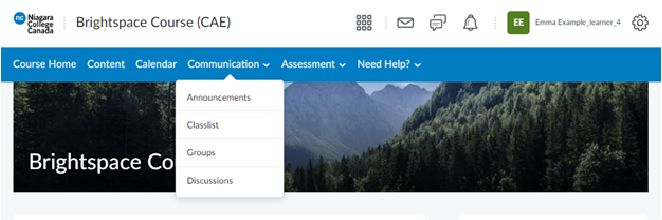
To access the different communication tools available in your Brightspace course, you will want to select the communication drop-down menu from the course navbar. (See Figure below)
Announcements
To access all the announcements that your instructor has posted in the course, select Announcements and you’ll be taken to the main announcement page for the course.
Classlist
The Classlist Tool provides you with a list of all enrolled individuals in a course. From the Classlist Tool, you can easily select your course instructor and email them directly. You can also email other students in the course should you need to get in touch with them.
Groups
If your instructor has set you up in a group for a particular learning activity or assessment, the groups page will include the details of your group and how you can communicate with other group members.
Discussions
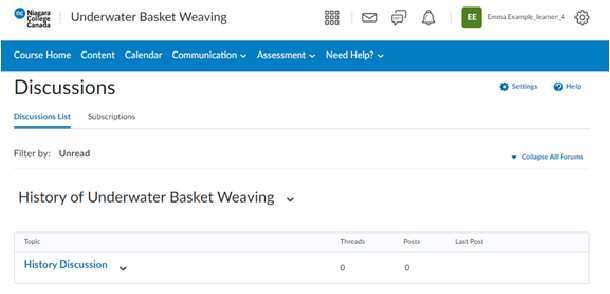
On the discussions page you will find any discussion topics that have been created for your course. Your instructor might set up specific discussion topics and threads that you’ll be asked to respond to from this page. Clicking on an individual discussion topic will open up that specific discussion and allow you the option to start a new thread (post in the discussion topic).
Create a Discussions Post
Example of Discussion a Page in a Brightspace Course.