How-to: Submit your Social Insurance Number (SIN)
Additional Information can be found through the CRA website regarding this requirement. Please follow the steps below to submit your SIN number through our secure student portal.
Students have the ability to submit their social insurance number (SIN) at anytime. If it is not submitted before the deadline provided by Niagara College each tax year, the T2202 will show zeros in that field. Students can still submit this copy to complete their income tax return.
1) Log in to MyNC.
2) Go to the Dashboard.
Once you are logged into MyNC, click on the Dashboard icon.
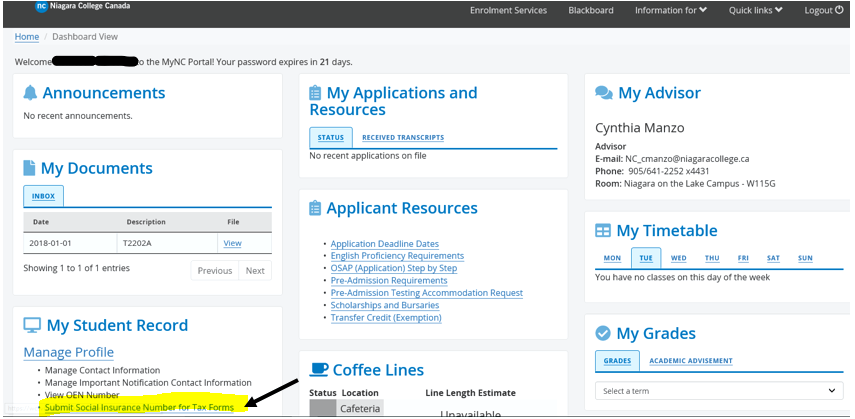
3) Click the “Submit my Social Insurance Number for Tax Forms” link.
- Scroll down to My Student Record.
- Under the Manage Profile heading, click the Submit my Insurance Number for Tax Forms link.
4) Input your Social Insurance Number (SIN).
- If the Social Insurnace Number box is empty, enter your SIN in the space provided.
- Click Save once complete.
If we already have your SIN on file, the last three digits will appear in the SIN box. If correct, no action is needed. If incorrect, enter your full SIN and reason for the change.

5) Your SIN will be confirmed.
Once saved, a window will pop up to confirm that your Social Insurance Number has been updated in the system. For security purposes, only the last three digits of your SIN will be visible after submitting.
