How-to: View Your Grades and Advisement Report
Through “Manage Grades” you can view your Academic Advisement Report and Grade Reports.
1) Log in to MyNC.
2) Go to the Dashboard.
Once you are logged into MyNC, click on the Dashboard icon.
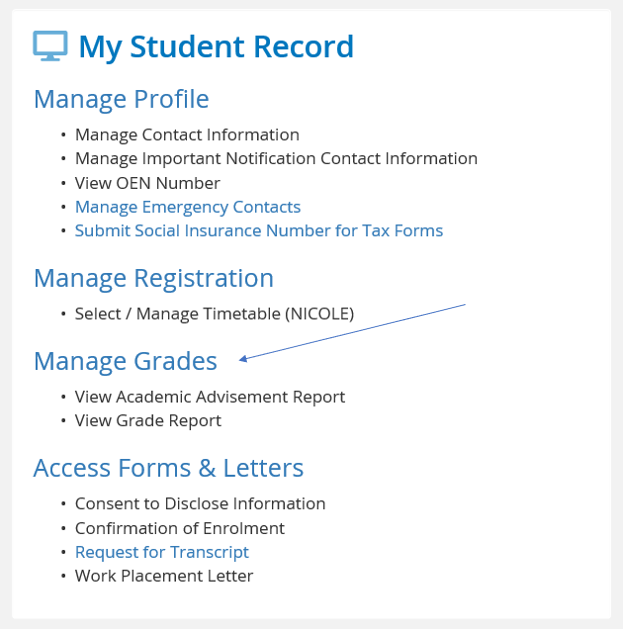
3) Click “Manage Grades”.
- Find the “My Student Record” section.
- Click the “Manage Grades” link.
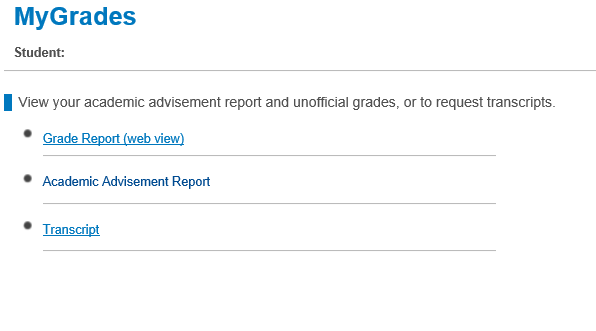
4) The “Manage Grades” page will load. You will have two options:
Grade Report (web view)
Grade Report (web view) will produce a web view of grades and academic standing by term.
Academic Advisement Report
Academic Advisement Report will generate a PDF that can be used to review academic progression within your program and determine remaining requirements for graduation.