How-to: Access Resources for Applicants

1) Log in to MyNC.

Login Now

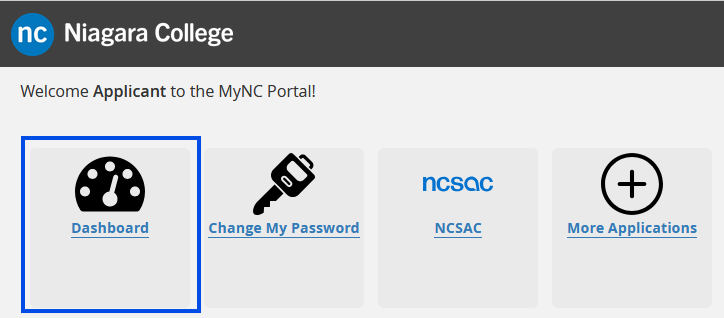
2) Go to the Dashboard.

Once you are logged into MyNC click on the Dashboard icon.
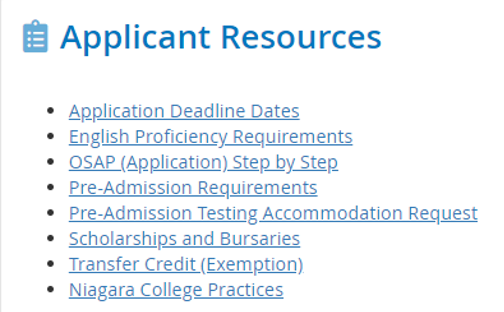
3) Look for “Applicant Resources”.

Locate the “Applicant Resources” section on the Dashboard. This section will provide you with links to additional information and resources pertaining to the Admissions process.
Need more help?

If you need further assistance with your application, you can contact the Admissions office. Admissions contact information is also available on the MyNC Dashboard.

How-to Guides Library

More guides are available! A library of how-to guides are available in multiple subject areas, including MyNC navigation, timetables and electives, and more.

Go to How-to Guides
Back to Top

Contact
NC

Friendly NC staff are here to answer your questions. Chat with us, or contact us via email or phone.

Contact Us