
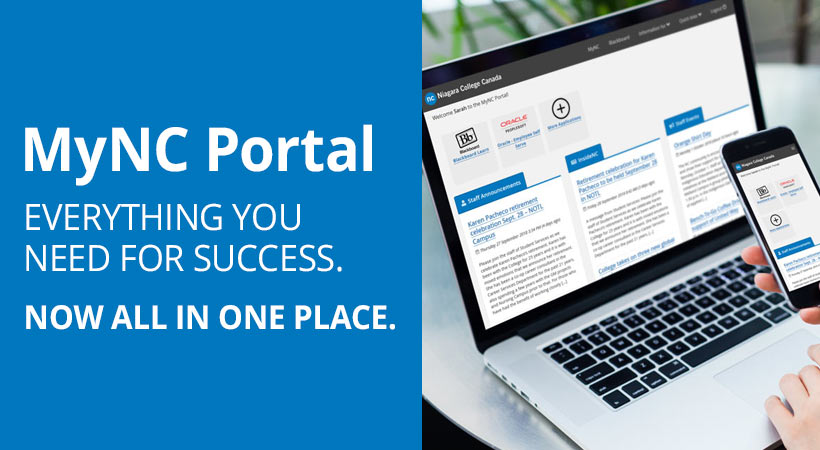
Niagara College is introducing a new web portal on December 20 that makes it easier than ever for the college community to access all their vital information, announcements and applications they need in one convenient location.
MyNC at mync.niagaracollege.ca is Niagara College’s new gateway for information. The new and improved portal streamlines the information you receive on your landing page tailored to your specific needs – whether you are a staff member, student or a college applicant.
The new portal will bring together functions that were previously spread across Blackboard’s My Apps tab, the existing employee and student portals, and various College websites.
When launching applications, users will view their preferred applications first, with the remaining applications available in the ‘more applications’ section. From here, users can select favourite applications to appear on their start page.
After a ‘soft launch’ this summer, MyNC will officially launch on December 20. Get a sneak peek at the new portal here: portalnc.niagaracollege.ca/
New features
In addition to having a modern look and feel, MyNC is introducing a variety of brand new features that will help staff and students alike make informed choices about their activities. New features include:
* A customizable application launcher for Niagara College web applications;
* News and event feeds;
* A consistent user experience between the portal and the NC mobile application;
* It’s mobile device ready and will work on all popular devices; and
* Quick links to important resources.
Additional New Features (student only at launch)
* Wait times for Tim Horton’s lines at both Welland and Niagara-on-the-Lake;
* Bus route delay information (where this information is available);
* Open access lab computer availability; and
* A dashboard view to surf important information quickly and efficiently;
With MyNC, the College will also have ability to provide targeted messaging to student groups, reducing the need for mass emails and ensuring that messages reach intended audiences – by campus, by school, by program, by level, or by applicant status. This function will significantly enhance our ability to communicate with students.
Mobile App available for MyNC
View MyNC when you’re on the go by downloading the new MyNC mobile app to an Apple or Android device. The app offers a native mobile experience with a modern look and feel. View your news feed, important notices, high-priority messages, Tim Horton’s wait times, lab availability, and more.
To download, search for Niagara College on your device specific app store.
How will I access the new portal?
To access MyNC go to: mync.niagaracollege.ca/
Username and password authentication is required to access MyNC. Logins for MyNC will be the same as your network or Blackboard login.
When will MyNC be launched?
A soft launch of the new portal took place during the summer of 2018, giving users an option to explore its functionality and provide feedback, while giving Information Technology Services an opportunity to test it with a larger audience. To date, more than 6,000 students have explored the new portal.
MyNC will officially launch on December 20.
What happens to Blackboard?
The launch of MyNC doesn’t impact the Blackboard Learning Management System, however ‘My Apps’ has moved to MyNC. Please update any documentation that previously pointed to Blackboard > My Apps to point to MyNC > More Applications.
Blackboard will continue to operate as normal during and after the transition period. Users will have the option of exploring the functionality of the new portal until it launches.
How can I submit a message to be viewed by staff or students?
This will not change. Continue to submit announcements on Blackboard via the ‘submit portal news’ icon in the applications section.
Will training be available?
Documentation on navigating the new portal will be available on the ITS website at its.niagaracollege.ca
Contact
If you have a question about MyNC, please contact the Information Technology Services Help Desk at 905-735-2211 extension 7642.
