Message from Vince Malvaso, director of Financial Services:
2018 T4 forms for current, full-time and part-time faculty and staff are now available for download through the new MyNC Portal.
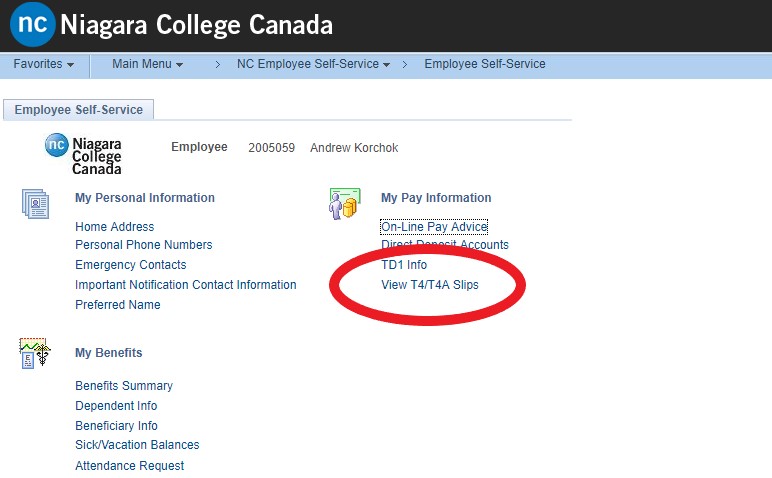
Staff and faculty can access their 2018 T4 by visiting the Oracle – Employee Self-Serve application on the MyNC Portal, and selecting ‘View T4 and T4A slips’ under ‘My Pay Information.’ Please see the below screenshots for details.
For assistance accessing your T4 through the MyNC portal, contact the ITS Service Desk at 905-735-2211 x7642 or [email protected].
For assistance with specific questions regarding your T4, please contact the Payroll department at [email protected].
Step 1: Click the Oracle – Employee Self-Serve on the main MyNC Portal landing page:

Step 2: select ‘View T4 and T4A slips:’